
There is always a debate of which e-reader is the best choice for you. There are few options out here: Nook, Kobo, Kindle, and BOOX. Lately, I have seen a lot of discussion surrounding BOOX devices.
If you are like me, you likely have no idea what a BOOX device is. In short, BOOX devices are e-ink tablets that run Android software allowing the user to download 3rd-party apps and do a verity of other things. I am focusing on how the Palma compares to the Kindle Paperwhite.
So, let’s compare the two.
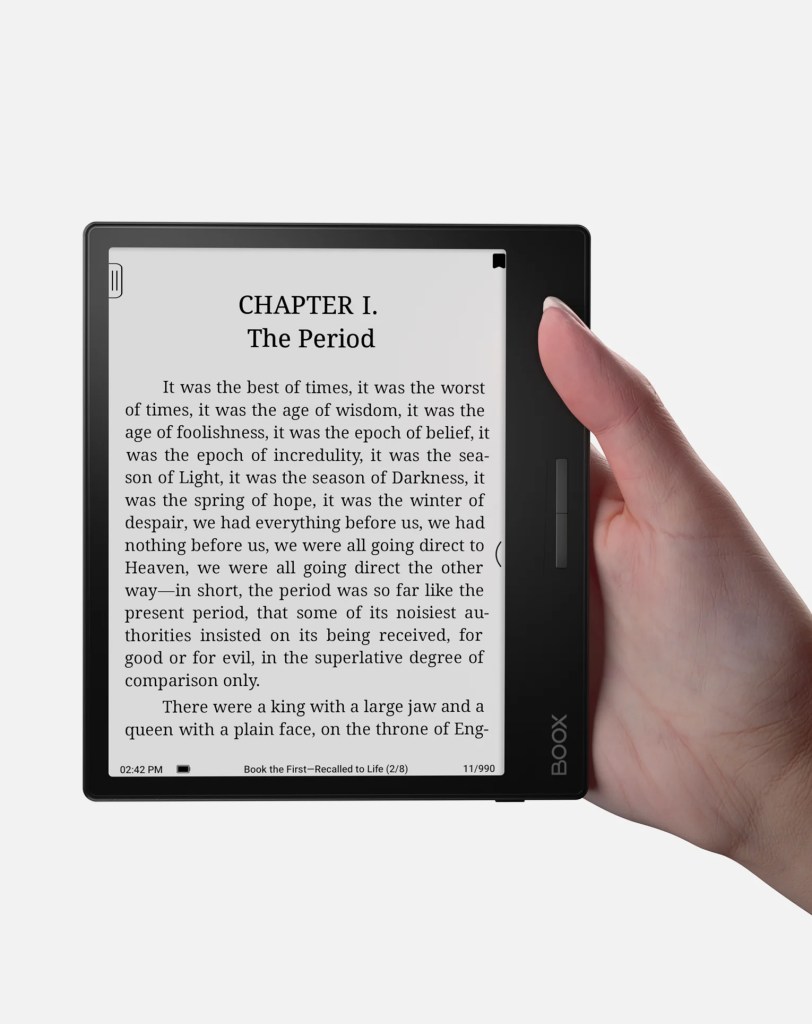
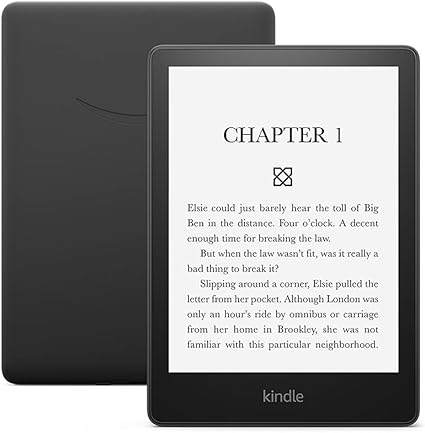
I have the BOOX Page (2GB) on the left and the Kindle Paperwhite on the right. I bolded the things that were different on the BOOX Page side.
Checkout out the BOOX’s website here and Amazon’s Kindle page here.
Boox Page (2GB)
Kindle Paperwhite (16GB)
- $219.99
- Screen is 7in e-ink
- 300 ppi
- front light with CTM (warm and cold)
- USB-C port (supports OTG or use an an audio jack)
- Battery life up to a week or longer depending on usage
- MicroSD (TF) Card Slot (max of 2TB)
- Built-in Speaker
- Built-in Microphone
- G-sensor for auto rotation
- Power Button, Page-turn buttons
- Wifi connectivity
- Colors: Black
- Black version 6.9 oz (195g)
- Software: Android
- Document format supported: PDF, DJVU, CBR, EPUB, AZW3, MOBI, TXT, DOC, DOXC, FB2, CHM, RTF, HTML, ZIP, PRC, PPT, PPTX
- Image format: PNG, JPG, BMP, TIFF
- Audio formats: WAV, MP3
- Supports 3rd-party apps
- Highlighting and underlining capabilities (even in PDF)
- Text-to-speech
- share highlights to social media
- Third-party cloud storage
- 10GB of free storage to sync all reading data
- *limited shipping to certain countries
- $149.99
- Screen is 6.8 in e-ink
- 300 ppi glare-free display
- Adjustable warm/cold light
- USB-C
- 17 LEDs front light
- up to 10 weeks of battery life (based on half hour reading per day with wifi off)
- 20% fast “page” turns
- Waterproof reading, can withstand immersion in 2 meters of fresh water for 60 minutes
- Rotate screen in settings
- Power button
- pairs with Bluetooth headphones to play
- Flush-front design
- Wifi connectivity
- Colors: Black, denim, and Agave green
- 1-year limited warranty
- 7.23 oz (205 g)
- Document formants supported: AZW3, AZW, TXT, PDF, unprotected MOBI, PRC natively; HTML DOC, DOCX, JPEG, GIF, PNG, PMP through conversion; Audible audio format (AAX)
- VoiceView screen readers available over Bluetooth audio, provides spoke feedback allowing you to navigate your device and read books with text-to-speech (English only)
- Read all accessibility features here
- Highlighting capabilities in ebooks
- Amazon cloud storage
What’s in the box
- BOOX Page x1
- USB-C Cable x1
- Card tray eject tool x1
- Quick start guide x1
- Warranty sheet x1
What’s in the box
- Kindle Paperwhite x1
- USB-C charging cable
- Quick Start Guide
What are the takeways?
If you are looking for an e-reader that functions like an e-ink tablet then any BOOX device will meet your needs. The BOOX Page, seems to be the close to the Kindle Paperwhite, but it is also similar to the Kindle Oasis (which is currently not for sale). There is another model, the BOOX Palma, that is the size of a cell phone and seems to do very similar functions to the Page. It is $279.99.
Regardless of which model you device is best for you, it seems like a powerful e-ink tablet. Currently the BOOX Page is out of stock on the BOOX website, but according to online forums you can find it online.
Using Amazon’s Kindle locks users in to the Amazon market or using apps such as Libby to borrow books. Which you have to access on another device, not the kindle. The Kindle has a better battery life, but it does less, so that is expected. Boox’s devices offer a microSD card slot, where as Kindles do not. I have had a Kindle for 6+ years and have yet to run out of space, so for me, that is not really an issue. I also can email my Kindle other files if I need to, again where that is not a huge issue for me. This is really helpful when getting ARC off netgalley.
Really, outside of BOOX running android software giving the ability to download apps, they are pretty similar devices. Which could be said for most e-readers on the market right now. What makes this device stick out for me, if the ability to download apps.
Personally, for me, I do not see a need for a complex e-ink tablet in my life currently. I have a Kindle, and other devices. Now, if I did not have those devices, I would be open to exploring options outside of Kindle in general. Another negative to me, is the price point of the BOOX. I know it does more, but still it is more than I am willing to pay for an e-reading device.
Ultimately, it comes down to what you want out of your e-ink device. Do you just want to access material through Amazon? Or do you want to access multiple reading apps and other apps in general, then this is the device for you.
Reviews?
I am in a few different reading groups, which is how I discovered BOOX. Most of the reviews are positive! No one has sent it back or had any major complaints. Some users say the device is overwhelming to learn if your main device is an apple product, others mentioned it is a little slow. That is not surprising, as most e-ink products are slower than the speed we are used to on touch screen devices.
Some users have bought a BOOX device used online and speak highly of the process. I have not read nearly as many successful used Kindle stories, there are various reasons for this, so it is hard to pinpoint one reason. If you are thinking about buying a Kindle of Unclaimed Baggage, just wait for a Kindle sale or check eBay.
All Kindles have positive reviews. You will find similar complaints that it is slow or difficult to use. Regardless of which device you end up with, there will take time to adjust to using an e-ink screen with response time. I have had a Kindle for 6+ years and loved the experience. I haven’t seen a device that has temped me away from Amazon’s Kindle just yet. I like to know what other devices are out there to help others make the choice that is best for them.
Should you switch from your kindle?
There are a few things I would consider.
- How old is your Kindle? Is it time for an upgrade?
- Are you unhappy with your Kindle experience?
- Do you use mainly use Amazon’s products, such as Kindle Unlimited and Prime Reading?
- Do you use other apps such as Libby, Barnes and Noble’s Nook, etc?
- What do you plan to use your ereader for? Just reading?
- Have you looked at other devices, such as: Nook & Kobo?
- Have you physically gone to look at these devices?
Should You Get a Boox Device?
If you are looking for your e-reader to do more than just read through one “company” or app then, a BOOX device is the one for you. If you are indifferent and have no complaints with your current device–then why change?
What are you thoughts? Would you get a BOOX device?
 Lit Lemon Books